
mobile phone play
Download Magisk, install it, and use the free open-source ROOT manager.
Magisk 是一個在安卓上相當熱門的ROOT權限授權管理器,功能類似Xposed可以自由的新增第三方模組,對於新版本的Android更新相當積極,並且具備手機/電腦模擬器/電視盒全方位的支援。
What can Magisk do?
Helps the phone gain maximum permissions. Some advanced apps, such as phone plug-ins like the GG Modder, require deep-level operations and need root permissions to run. Magisk is a tool that helps you gain permissions and manage them.
安裝須知
- 在安裝Magisk前你必須刷入第三方recovery,常見為 TWRP或OrangeFox
- If another license manager (such as Super_SU) is installed, uninstall it first.
- 刷機操作皆有風險
Download Magisk
Official website : https://magiskmanager.com/
Github download: https://github.com/topjohnwu/Magisk/releases
Download the APK and ZIP package separately.
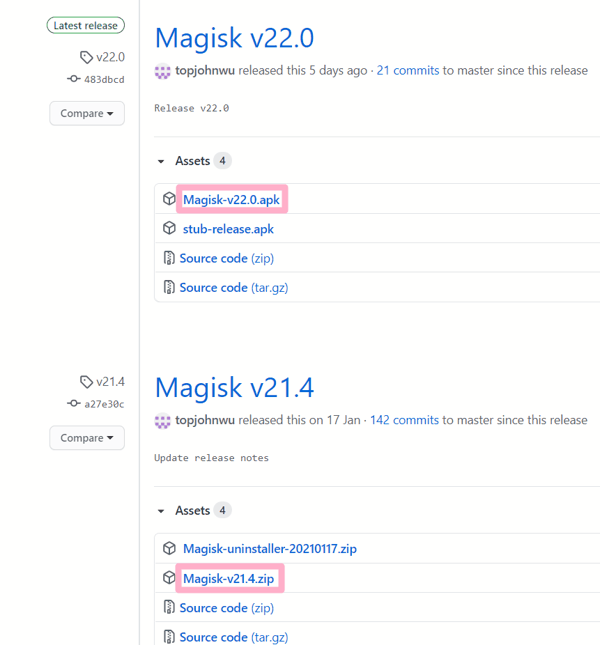
Installation instructions
Magisk installation requires flashing the zip and installing the MagiskManager APK manager
- You need to flash a third-party recovery to your phone before you can flash Magisk
- Search for your "mobile phone model + TWRP" to find relevant tutorials
First, go to recovery and select the zip package to flash in via "Install".
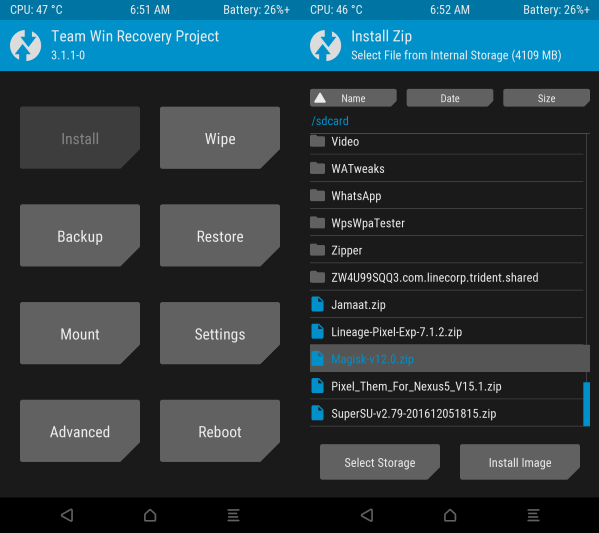
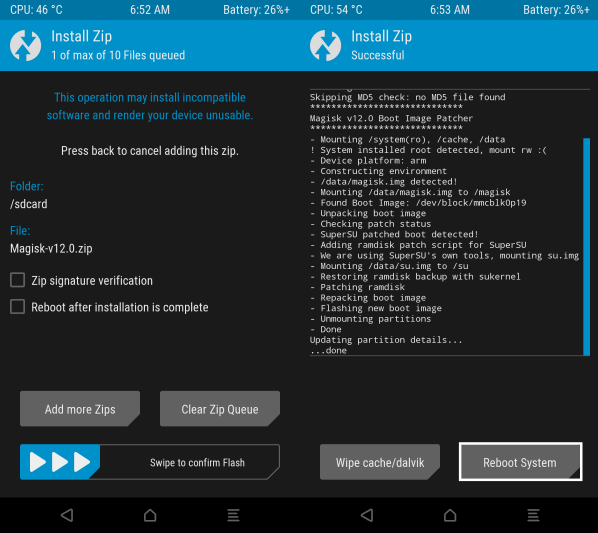
Slide in, then select "Reboot System"
Next, install the Magisk Manager APK file to manage it
Subsequent updates can be directly installed in this app without having to go back to recovery mode.
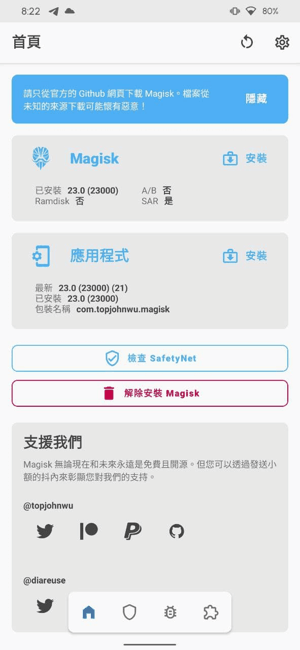
Magisk 功能介紹
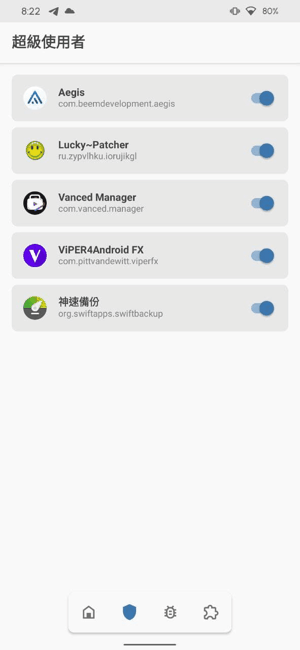
Authorization management for easy activation and deactivation
假如APP沒有授權ROOT可以到這邊手動開啟再重啟APP
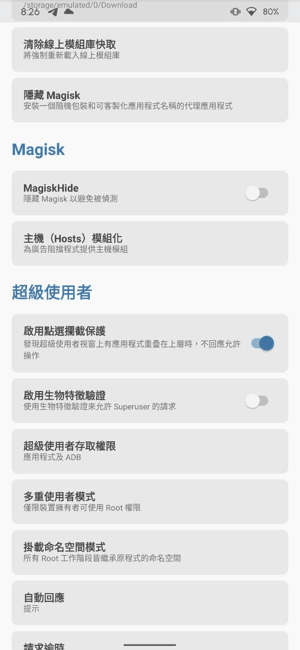
Some banking and financial services or gaming apps detect Magisk
可到設定這邊進行隱藏
The power supply is also a very important part. In terms of repair experience, the replacement and failure rate can be considered among the top few, so purchasing a better power supply can help keep the computer stable and running smoothly.
It is common for Magisk versions not to correspond to the ROM.
Simply download the magisk-uninstaller-xxxx.zip package and flash it to uninstall
如果有需要可以嘗試其他Magisk版本或是到XDA論壇找找看補丁